
Parish Theme + Companion Plugin ⛪︎
2026
Description
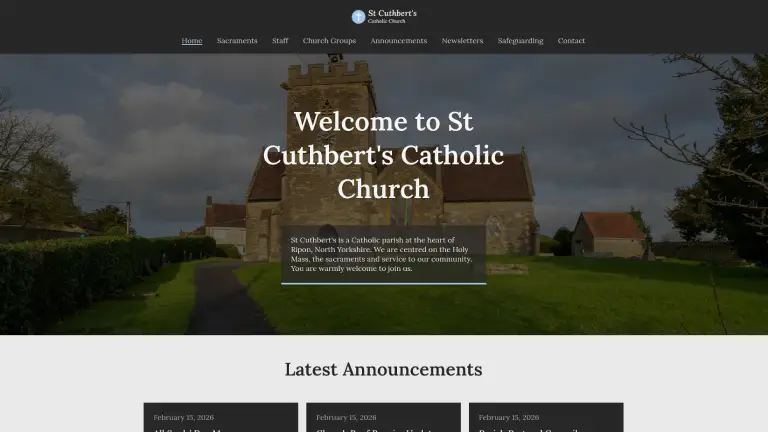
Reusable WordPress classic theme + companion plugin for structured real-world parish websites and easy setup for non-technical users. Features an admin onboarding page and settings page for parish details, CPTs, taxonomies, custom form handling and more.
Tech Stack
- HTML/CSS
- JavaScript
- PHP
- WordPress
📌 Project Overview
Many Catholic parish websites use WordPress but have these problems:
- Inconsistent design
- Poor content structure
- Excessive flexibility leading to clutter
- Lack of technical best practices
- Security vulnerabilities
Catholic Parish theme and core plugin were built to:
- Prioritise clarity over excessive flexibility
- Give structured, parish specific content types
- Follow WordPress architecture standards
- Help non-technical parish admins, secretaries and volunteers
The project consists of:
- 🎨 A classic WordPress theme built from scratch (presentation layer)
- 🔌 A companion plugin (core functionality layer)
Originally the plugin features were registered in the theme. I later separated it out for content portability if the user decides to switch themes. The plugin GitHub repository is here: https://github.com/jamiewilliamsxyz/catholic-parish-core
🎨 Theme Features
Front Page
- Hero section (customisable via Customizer)
- Latest announcements (pulls from Announcement CPT)
- Content section (editable via the page editor)
- Services section (pulls from Service CPT)
Menus
- Primary navigation menu
- Footer general links menu
- Footer social links menu
Custom JavaScript
- Mobile hamburger menu with a toggle
- Scroll triggered card animations for the front page
Customizer Options
- 🎨 Accent colour
- 🔤 Typography controls
- 🖼 Hero title, text and background image
- 🗺 Google Maps embed (for the Contact Page template)
- 📝 Footer title, description and copyright text
Contact Page Template
- Content section
- Parish details card (data pulled from the plugin)
- Custom contact form
- Google Map embed
Custom Post Type Features
- Custom content for each CPT
- Pagination template part for CPT archives
- Taxonomy term filtering for relevant CPT archives
Admin Experience
- Parish Setup Guide admin page (onboarding for non-technical users)
- Conditional admin notice if the companion plugin is missing
Security
- Input sanitisation and output escaping
- Capability checks
Other
- Fully responsive design (mobile-first)
- Fully translatable with
.potfile, textdomain and i18n functions - Reusable template parts
🔌 Plugin Features
Custom Post Types
- Announcement
- Service
- Newsletter
- Parish Staff
- Church Group
Custom Taxonomies
- Parish Staff Type taxonomy
- Church Group taxonomy
Meta Boxes
- Custom meta box fields for each CPT
- Dynamic “Add post” placeholder text modifications depending on CPT
Content Enhancements
- Contact form handling (secure with nonce verification)
- Shortcodes:
[parish_phone][parish_email][parish_church_address][parish_office_address][parish_office_hours][parish_details]
Parish Details Settings Page
Built using the WordPress Settings and Options APIs:
- Phone
- Church Address
- Office Address
- Office Opening Hours
Security
- Input sanitisation
- Output escaping
- Nonce verification (for Meta Boxes and contact form)
- Capability checks
Other
- Conditional admin notice if the theme is missing
- Fully translatable with
.potfile, textdomain and i18n functions
🧰 Tech Stack
WordPressPHPHTML5CSS
Development Tools
Figma(designing and prototyping)Local(local WordPress development environment)Git & GitHub(version control and repository management)VS Code(code editor)
📚 What I Learned
This was my first complete WordPress theme + plugin project with the goal being to deepen my understanding of WordPress development.
🔐 Contact Form & Meta Box Input Handling
- Security & Data Handling: Developing the contact form handling and custom metaboxes meant I had to properly sanitise, validate and escape user input. I learned how to use nonces for verification and handle data securely.
🔌 Extracting Functionality Into Companion Plugin
- Architectural Thinking: Originally I had CPTs, shortcodes, taxonomies, Meta Boxes and contact form logic inside the theme. Refactoring them into the plugin helped me to understand content portability and separation of concerns.
🖥 Creating a Setup Guide Page & Admin Notices
- Practical UX Thinking: I had to think about my target audience and their level of technical knowledge to create a theme and plugin that could be implemented and set up smoothly. That’s why I created admin notices to warn the user if the theme or plugin is not active and why I created a detailed parish setup guide admin page. This forced me to think like a user which improved my practical UX thinking.
⚙️ Using WordPress APIs
- System-Level Understanding: Working with the different WordPress APIs like the Settings API, Options API and the Customizer API taught me how WordPress structures data internally. I learned how to handle these APIs to create a functional theme and plugin.
🔮 Future Improvements
- Refactor CSS Into Scalable Architecture: Implement a more structured system such as BEM to improve maintainability.
- Improve Contact Form: Allow users to choose an email to send the form submissions instead of it only being sent to the site admin.
- Expand Shortcodes: Add more shortcodes and turn some components such as the Google Map embed into one.
- Add More Site Customisation Options: Add primary and secondary colour options as well as options for layout.
📸 Screenshots
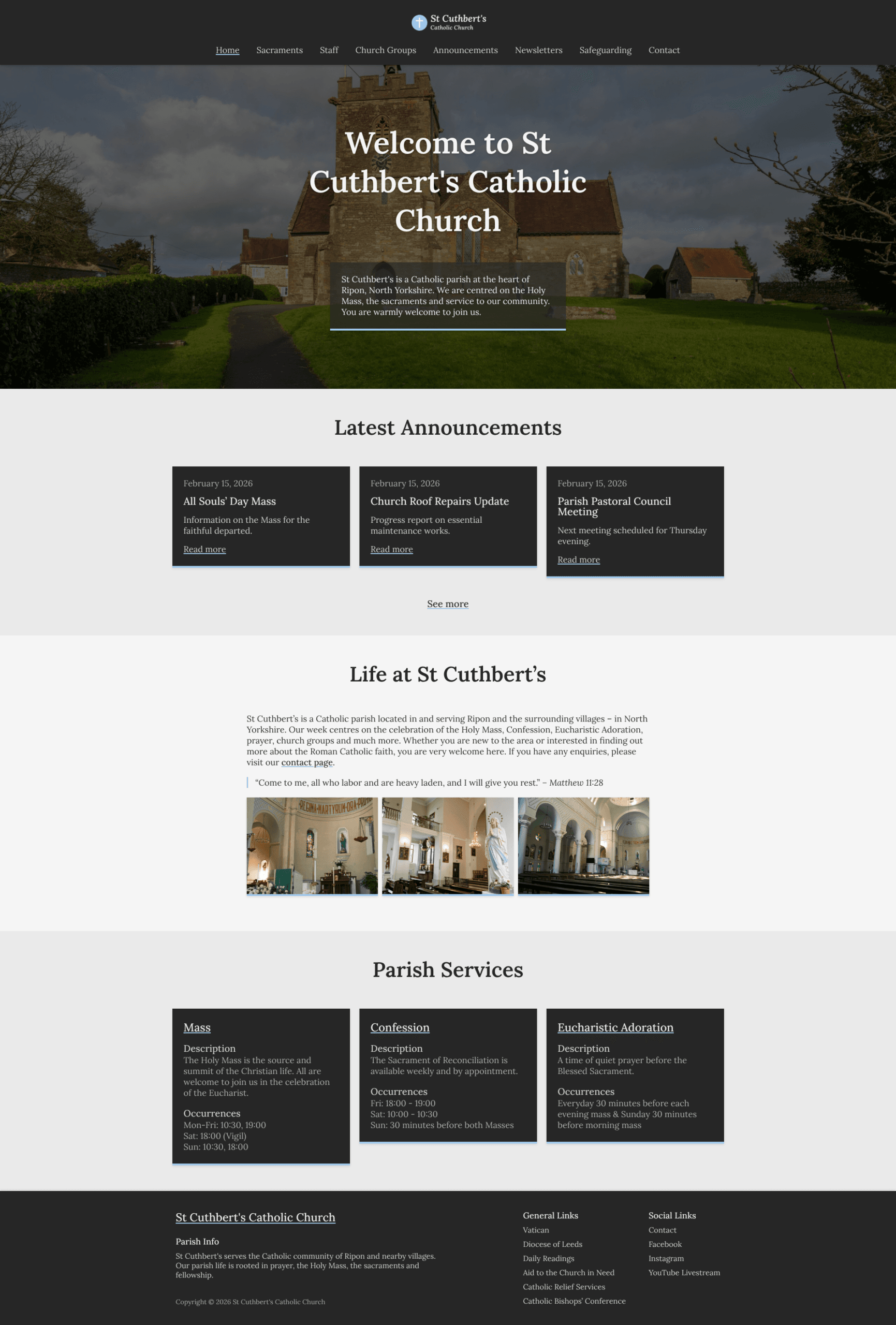
Front page – desktop view
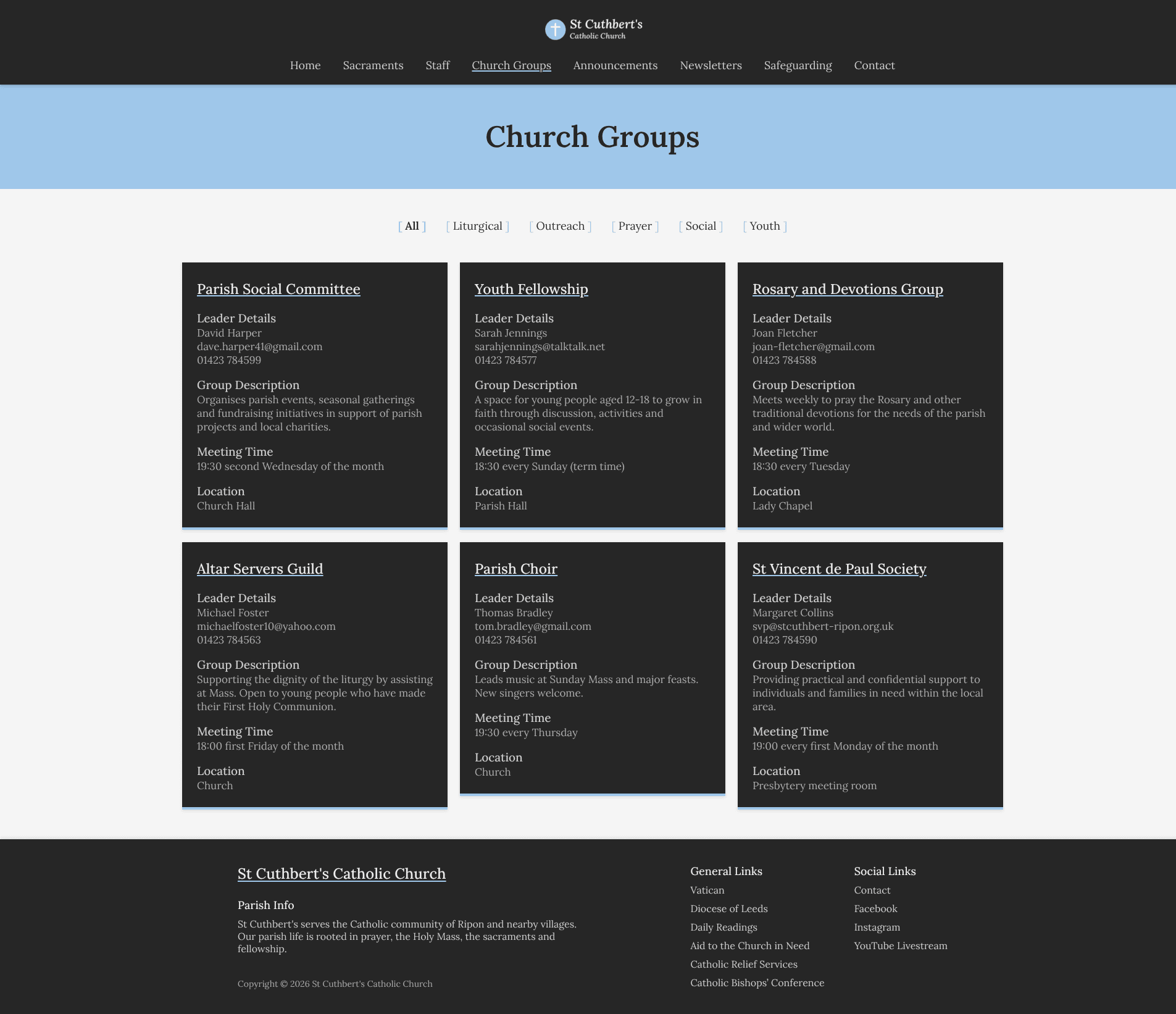
Church group archive – CPT archive with taxonomy terms filter
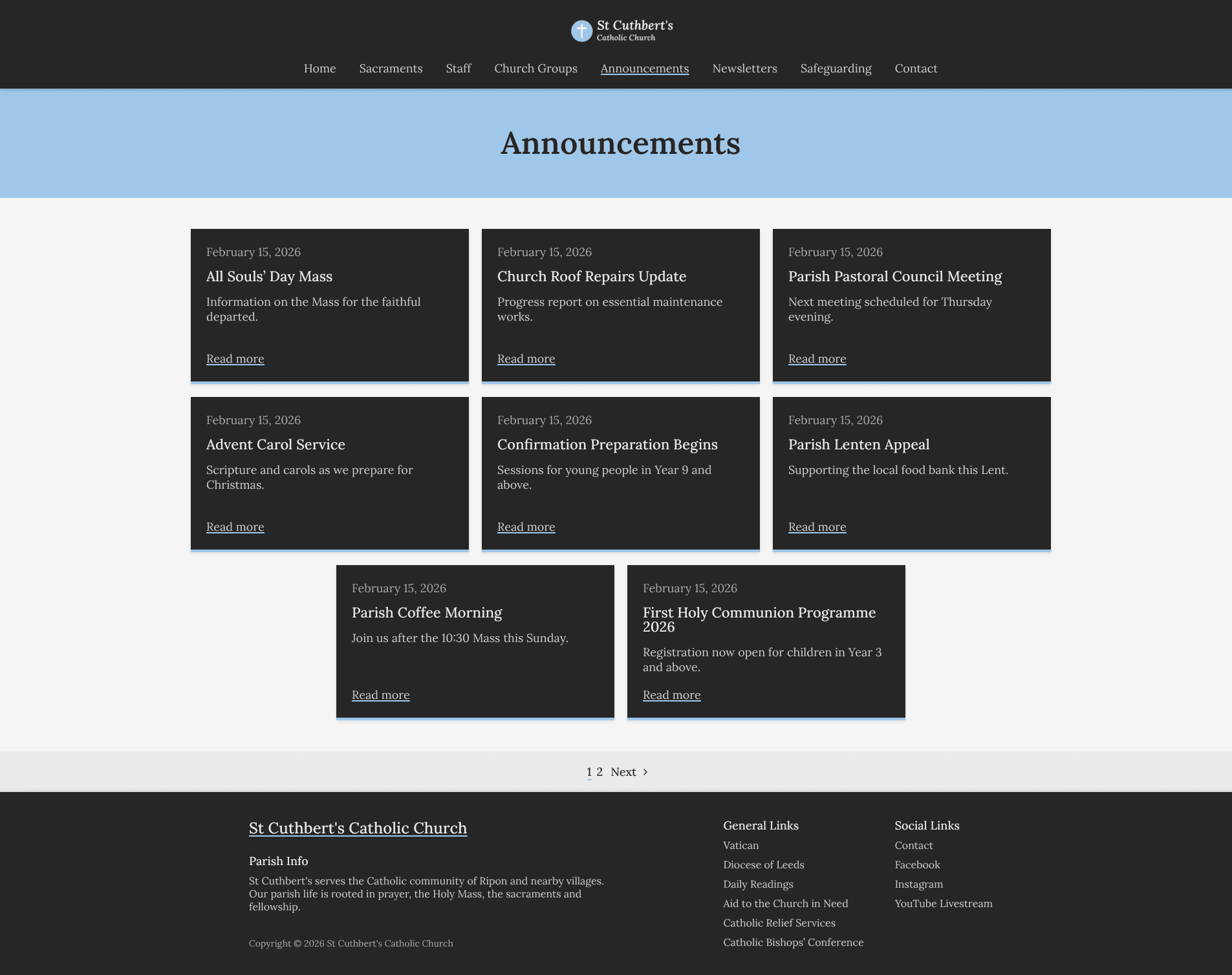
Announcement archive – CPT archive with pagination
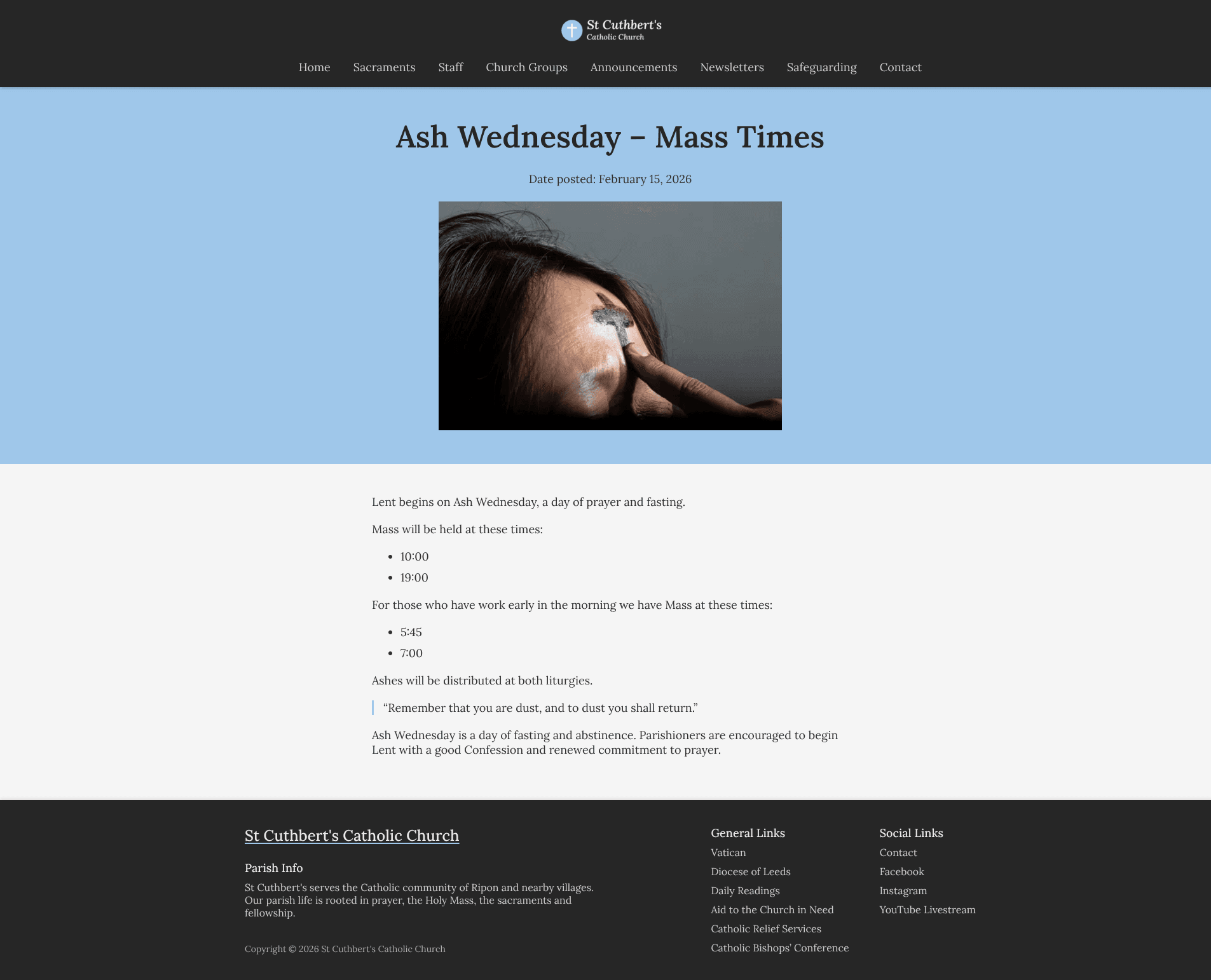
Announcement post – CPT post
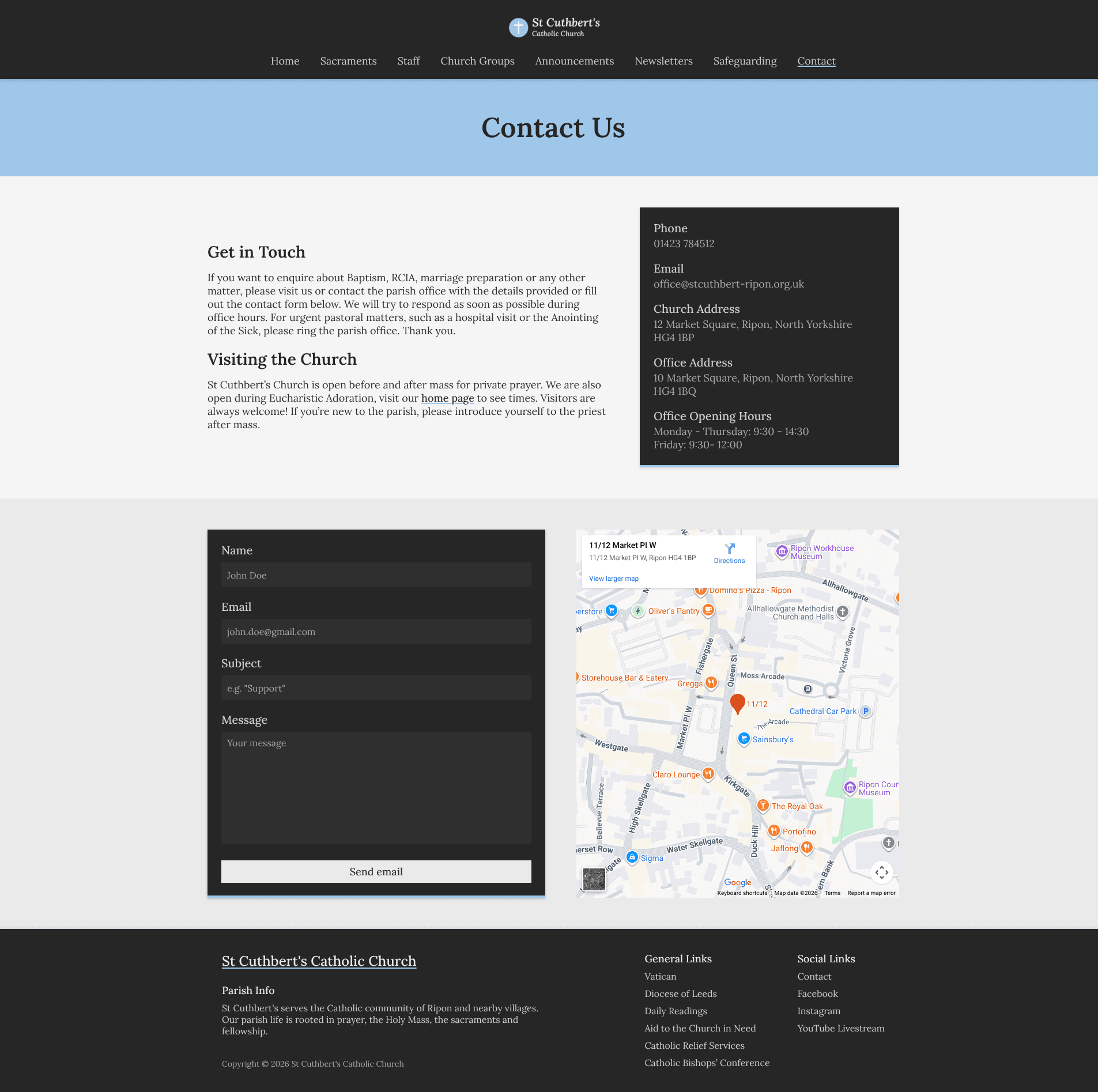
Contact page template – map embed & secure contact form
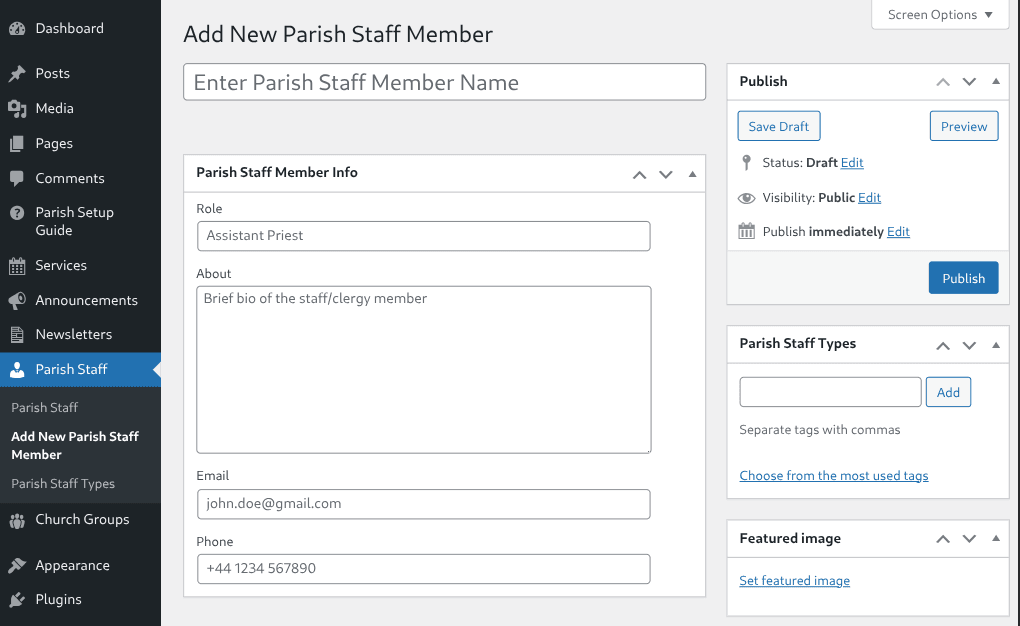
Add parish staff – custom post type admin UI
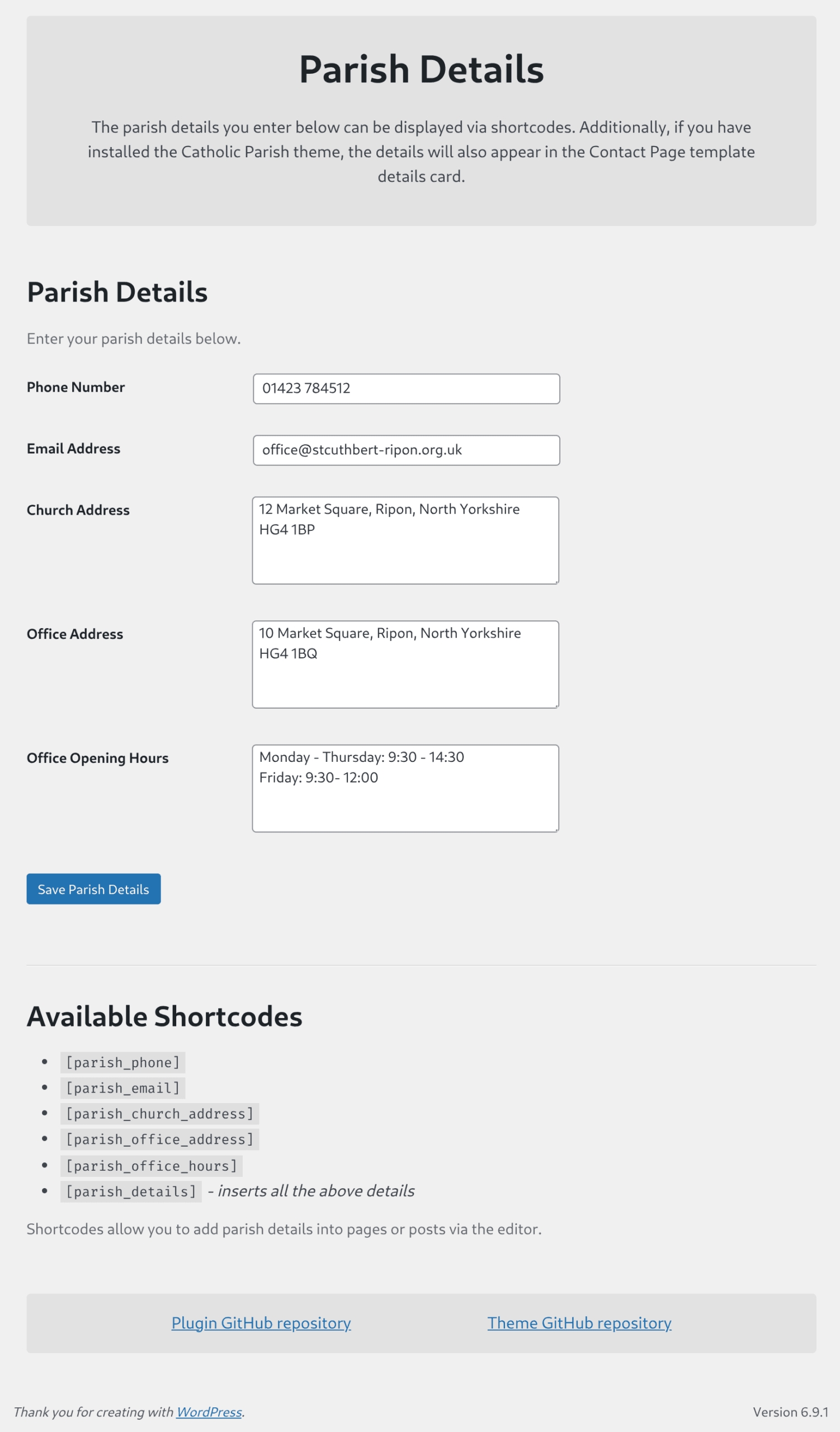
Parish details – custom settings page
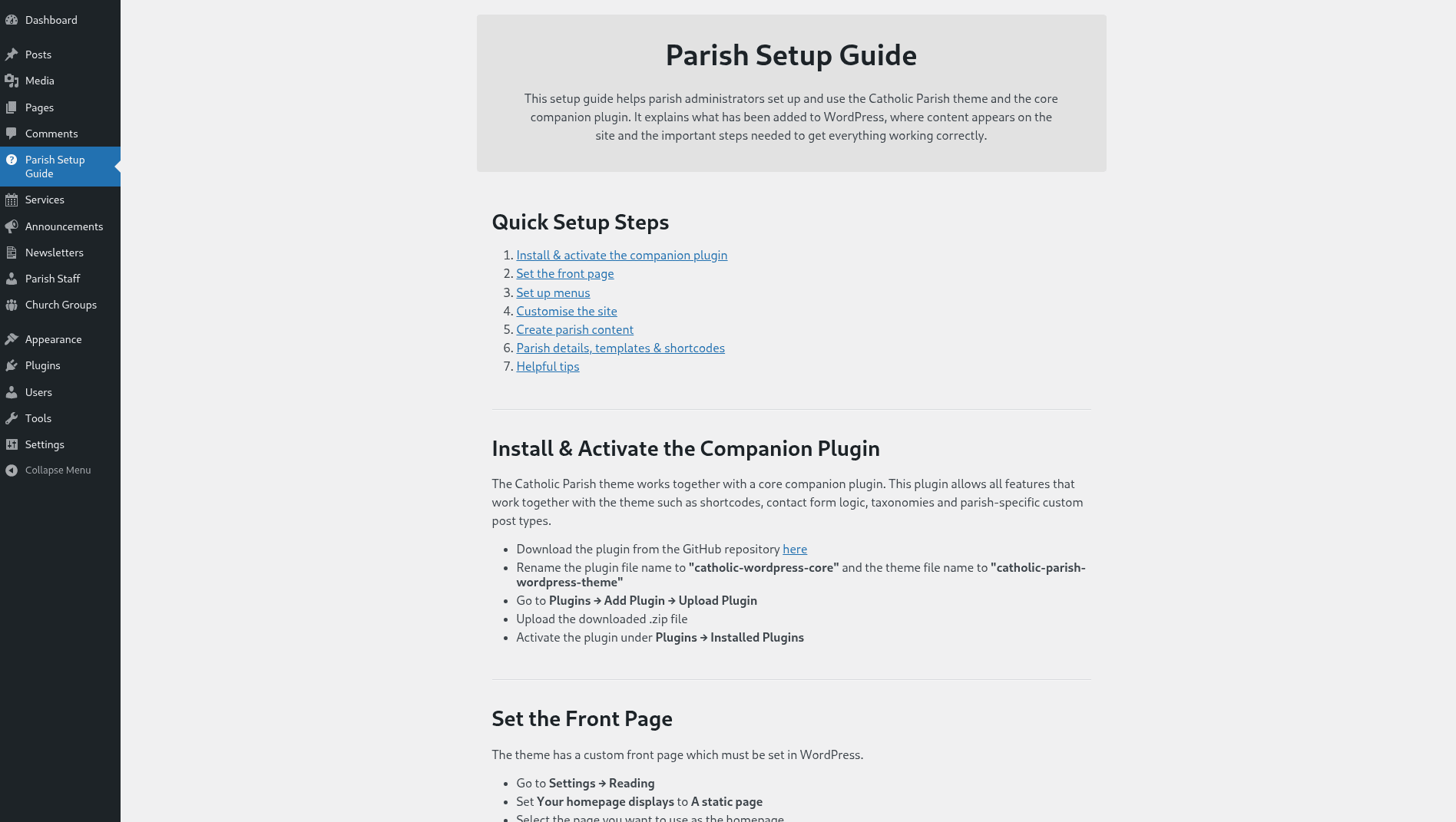
Parish setup guide – custom admin onboarding page
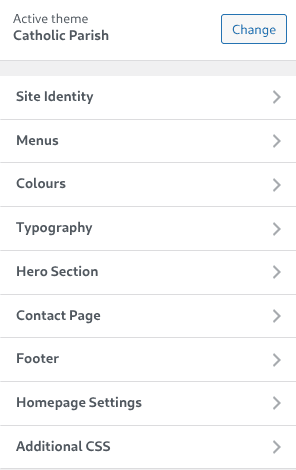
Customizer – custom sections

Front page – mobile view